

A few days ago I released metacomputer, an open-source virtual computer for coding agents like Claude Code. This is the how-to for the thing people have asked about most: using it to drive a web browser.
Why agents need a different kind of browser
Agents are moving onto the web. They fill in forms, book things, do research and check the dashboards you check every morning. I wrote about where that leads in The Agentic Web. But most of the browsers agents get today were built for test scripts.
Playwright, Puppeteer and headless Chrome are great tools. When you already know every step, a script is fast, cheap and runs in CI without a model. That’s what they were built for, and they’re still the right choice for it.
An agent has a different job. Nobody wrote its steps in advance. It reads the page, decides, and checks what happened. The page changes from week to week. Some sites push back on automation. Sooner or later it needs your password. And now and then a page wants a human.
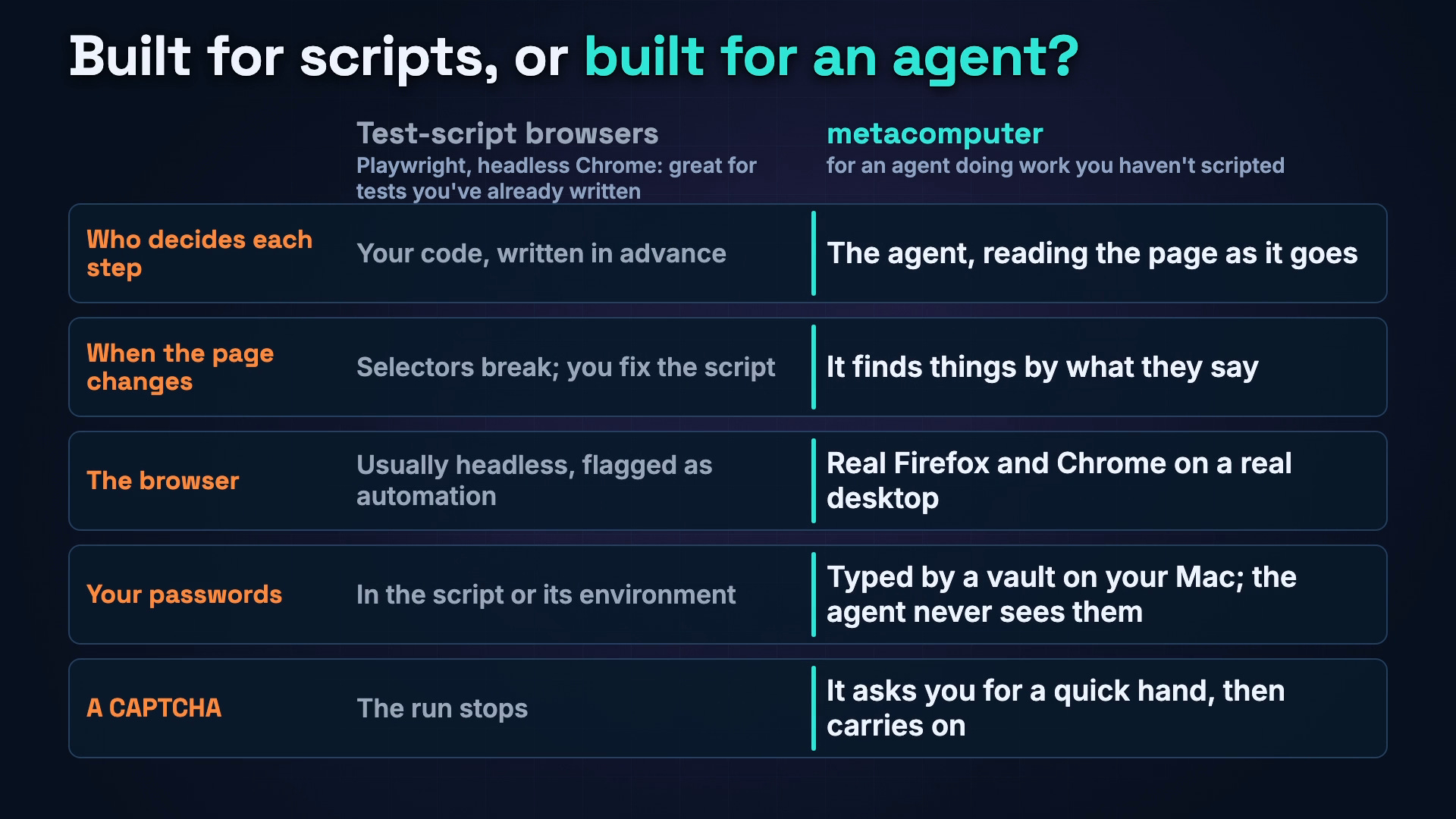
Who decides each step. In a test script, your code, written in advance. With metacomputer, the agent, reading the page as it goes.
When the page changes. A script’s selectors break, and you fix the script. metacomputer finds things by what they say, like a button labeled “Download invoice.”
The browser. Test tools usually run headless and announce themselves as automation. metacomputer runs real Firefox and Chrome on a real desktop.
Your passwords. A script keeps them in its code or its environment. metacomputer types them from a vault on your Mac, and the agent never sees them.
A CAPTCHA. The script’s run stops. metacomputer asks you for a quick hand, then carries on.
There’s one more option: tools that let an agent drive the browser you use every day. That’s convenient, but it puts your real accounts, history and open tabs in front of whatever a page tells the agent. metacomputer’s browser lives on a separate computer, so the agent gets only what you give it.
Step 1: Install it
You need a Mac with Apple silicon, macOS 14 or later, about 15 GB free, and Claude Code. Paste this into Terminal:
curl -fsSL https://raw.githubusercontent.com/metavert-io/metacomputer/main/get.sh | bashIt takes about five minutes. It builds the computer, an Ubuntu desktop with Firefox and Chrome, and adds metacomputer to Claude Code as a plugin. Later, metacomputer update keeps it current.
Step 2: Ask in plain words
Start a new Claude Code and describe the job. You don’t name selectors or write steps.
“Copy the invoices from the old billing system into Ledger.”
“Check our status dashboard and tell me if anything is red.”
“Download last month’s statements from the vendor portal.”
“Someone sent me this link. What does it do?”
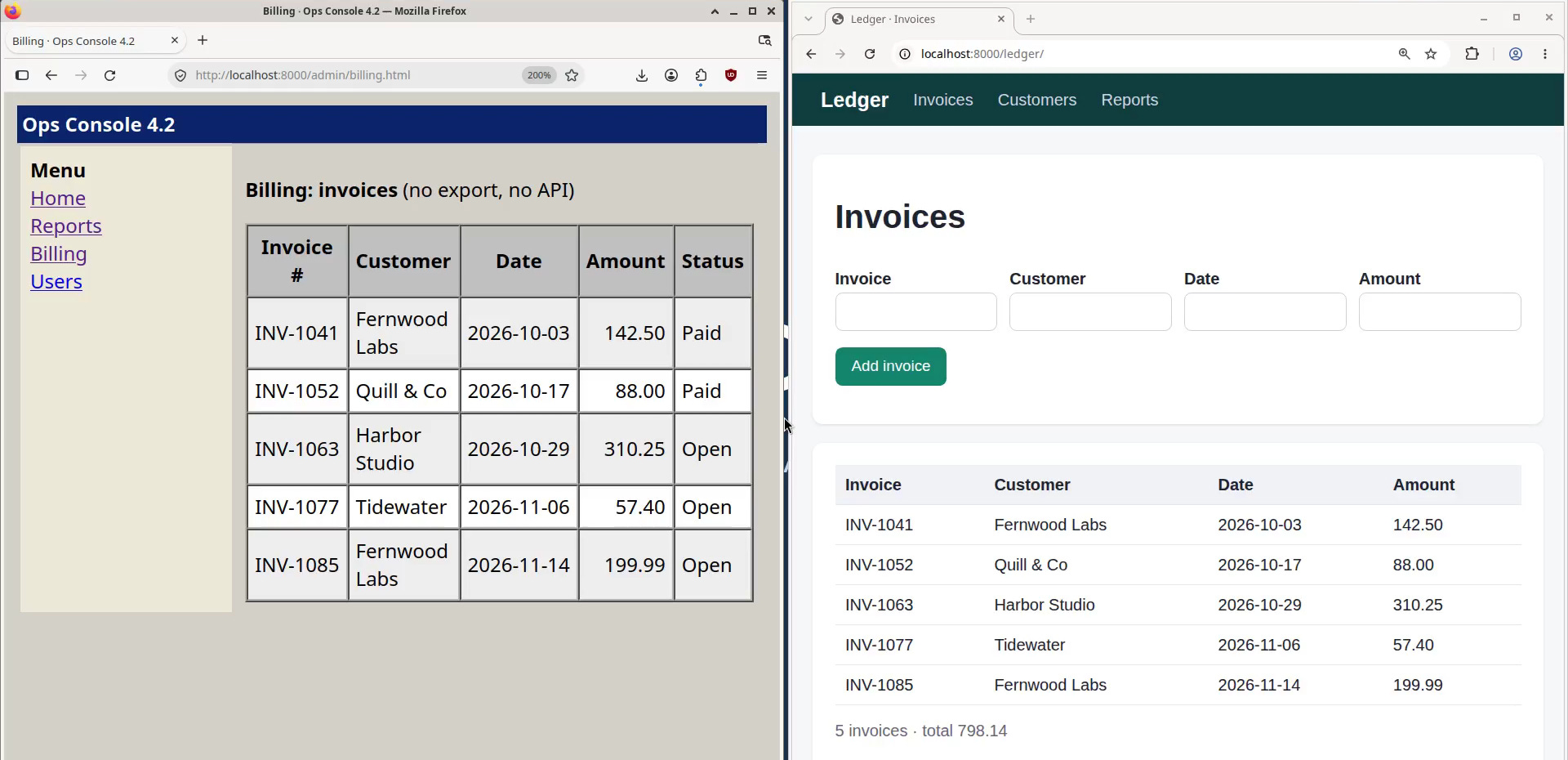
Your agent reads each page the way a screen reader does: buttons, links, fields and text, each with its name. It clicks “Export CSV” because that’s what the link says, not because it’s the third link in the second table. So when a site gets redesigned, the same request still works. In the video, last week’s table of invoices becomes this week’s cards, and Claude finds “Download invoice” in both.
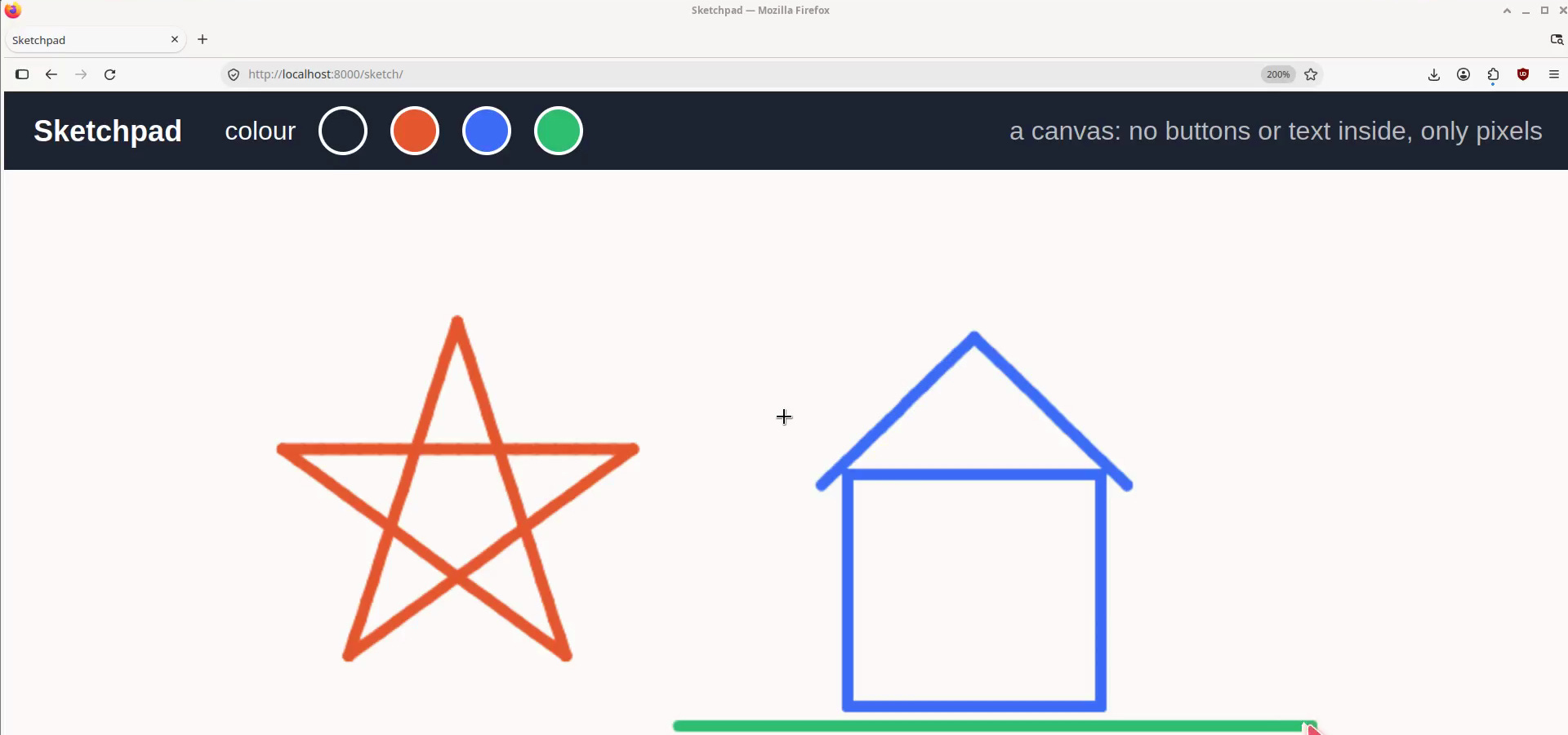
It uses an ordinary desktop browser and types at a person’s pace. When a page has nothing to read, like a canvas, a map or a 3D view, Claude takes a screenshot and works in pixels. WebGPU and WebGL are emulated in software.
When a form has to be exactly right, metacomputer web page gives Claude a browser of its own and precise tools: fill this field, pick that option, upload this file.
Step 3: Sign in without handing over your password
This is where most agent setups get scary. metacomputer keeps a vault on your Mac. When your agent needs to sign in, it asks the vault, and the vault types the username, password or 2FA code into the page itself. Your agent only hears whether it worked. You unlock the vault in your own terminal, and each sign-in can wait for your Touch ID.
Codes that arrive by email or text go through the vault too. API keys never enter the computer at all. It gets a short-lived token for a proxy on your Mac, which adds the real key.
Step 4: Let it ask you for a hand
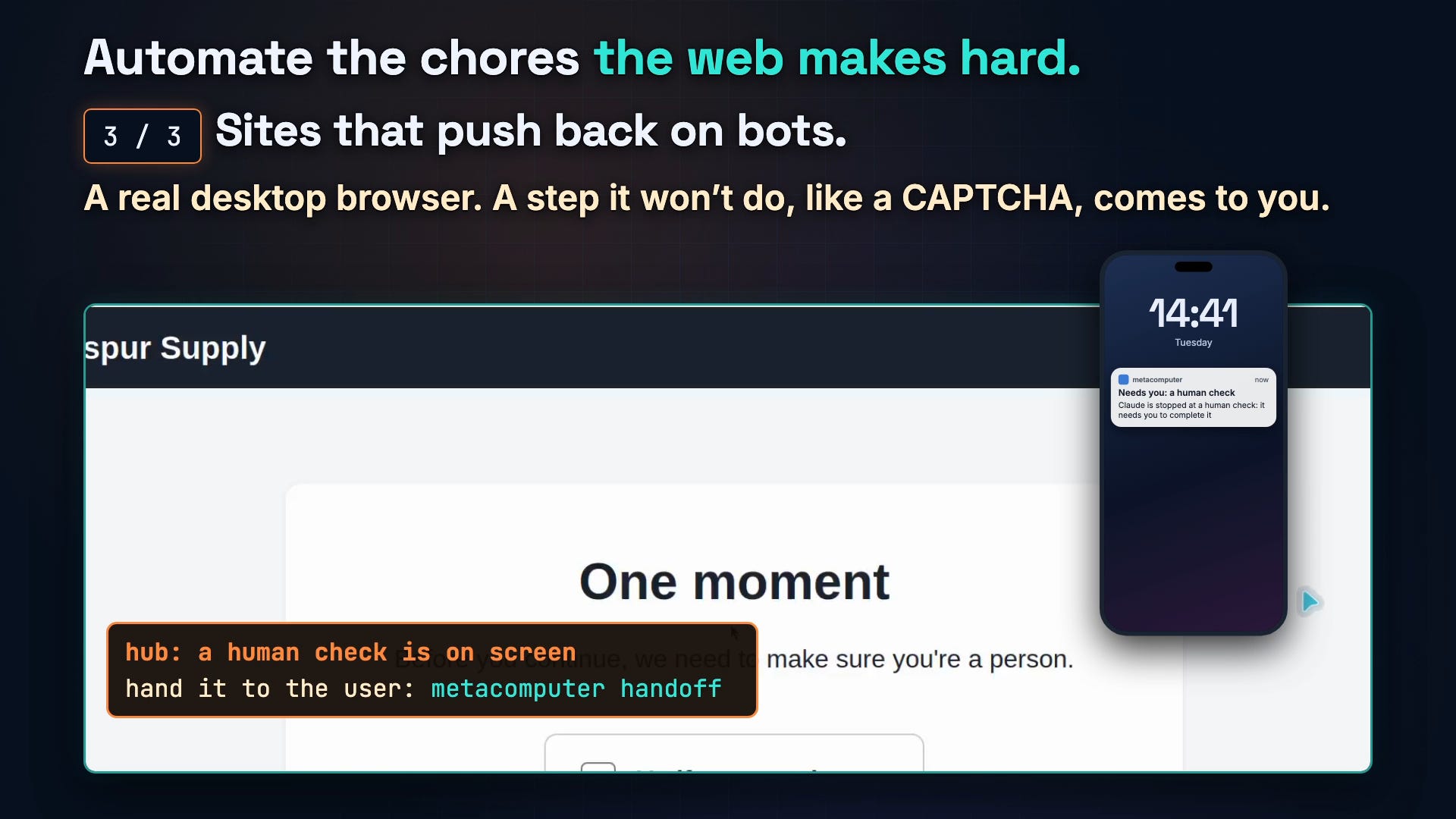
Some steps Claude won’t do itself, and a CAPTCHA is the obvious one. metacomputer spots the common human checks on screen. When one appears, it stops acting in that window and hands you the computer. You get a notification on your phone or in Slack, if you’ve set one up, and metacomputer view --open puts its screen in front of you. Tick the box, hand it back, and Claude carries on with the rest.
Step 5: Keep it to the sites it needs
For a task that needs only a couple of sites, say so:
metacomputer net allow vendor-portal.example.com status.example.com --for 2hThe network gateway on your Mac enforces that list, not the agent. Claude can take sites off it, but only you, at your own terminal, can add one or end the list early. Either way, the computer is walled off from your Mac and your home network. And page text that’s hidden from people, or written to AI agents, gets marked, so Claude can point it out instead of following it.
Step 6: Test the sites you build
metacomputer is also a good way to check your own web apps in real browsers:
metacomputer web debug URLlists console errors, failed requests and timings.metacomputer web responsive URL --device iphone-15,pixel-8emulates phones and tablets, with a contact sheet.metacomputer web read URLgives you the page’s main text.metacomputer web gpu URLshows what WebGL and WebGPU the page gets.
$ metacomputer web debug http://localhost:8000/shop/promo.html --browser chrome
Requests: 4; failed: 3; uncaught errors: 1; console errors and warnings: 2

## Uncaught errors
- ReferenceError: startCountdown is not defined
Step 7: When you want a script, it writes one
Agents are good at work nobody has scripted. Once a job is routine, you may want a plain script that runs in CI. metacomputer trace records Claude’s browser steps, and trace export turns them into a Playwright test:
metacomputer trace start console
# Claude does the task
metacomputer trace stop
metacomputer trace export console --playwright --url http://localhost:8000/admin/
This is the test it wrote from its own clicks in the old admin console:
test("console", async ({ page }) => {
  await page.goto("http://localhost:8000/admin/");
  await page.getByRole("link", { name: "Reports" }).click();
  await page.getByRole("button", { name: "Run report" }).click();
  await page.getByRole("link", { name: "Export CSV" }).click();
});
Review it, then run it without a model.
Step 8: It gets better at your work
Claude repeats some mistakes. metacomputer learn reads its past sessions on your Mac, counts what went wrong, and proposes short lessons. You approve the ones you want, and every new session starts with them.
When I ran it on my own sessions, the top problem was clicking by position without taking a fresh look first: 34 of 96 failed actions, in 17 of 33 sessions. I approved the lesson it proposed. In our first test with that lesson on, the mistake went from 3 times to 0, and failed actions from 7 to 3. That was eight tasks, run once each, so we’re still measuring.
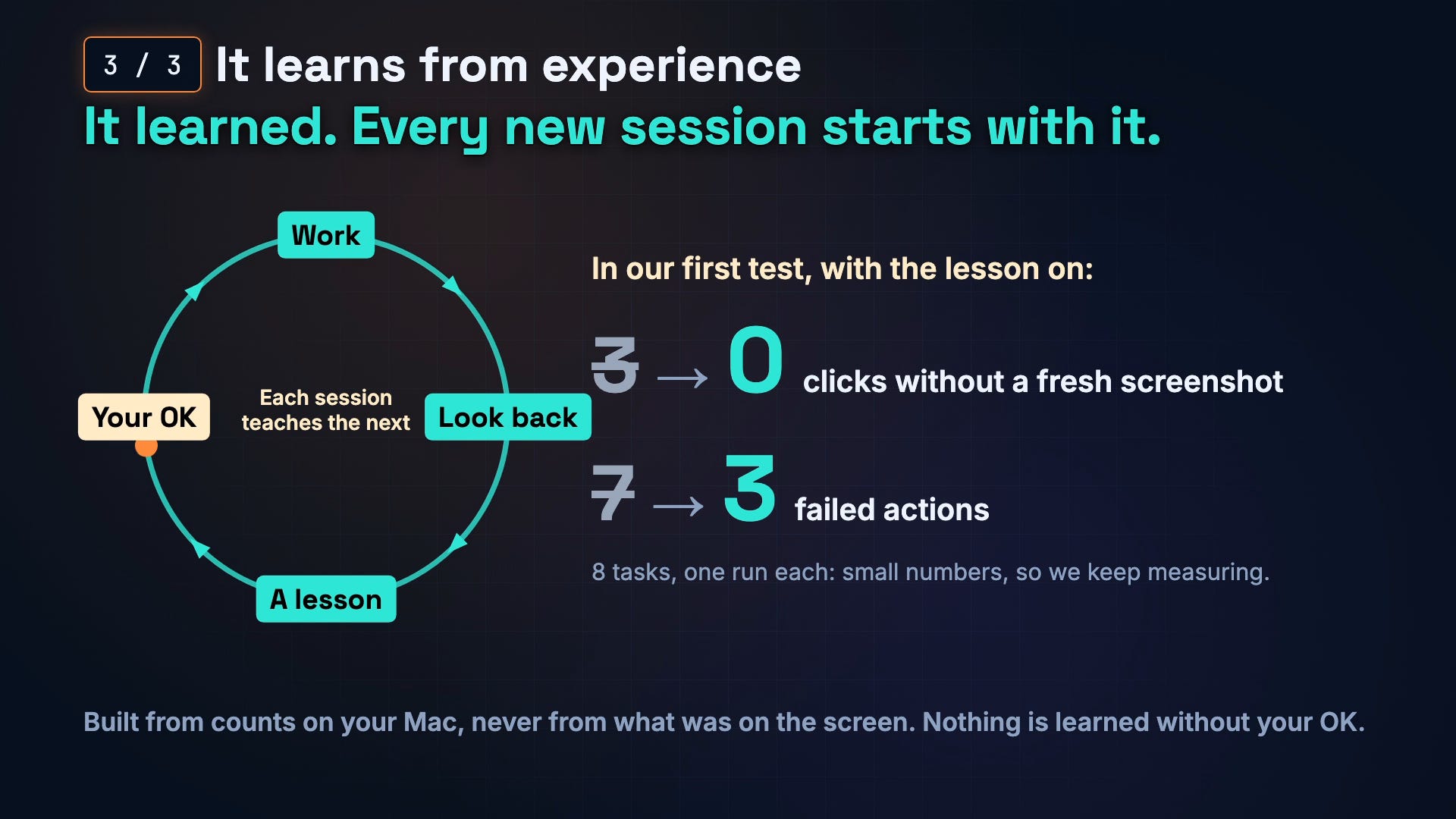
It’s the loop I wrote about in Software, Heal Thyself: an agent’s own experience shapes how it works next time. The lessons come from counts, never from what was on your screen, and nothing is learned without your OK.
Questions people ask
Can Claude Code control a web browser? Yes. With metacomputer, Claude Code drives Firefox and Chrome on a separate desktop. It reads pages through their accessibility tree and checks each step.
Is this Playwright under the hood? No. Day to day, Claude drives the real browser window the way assistive technology does, through Cua‘s open-source driver. Playwright comes in at the end, if you want a script.
Does it solve CAPTCHAs? It doesn’t try. When a page wants a human, you get a quick prompt to take over, and Claude carries on afterward.
Where does it run? On your Mac, in a virtual machine. There’s no account to create, no cloud browser and no subscription. It’s MIT licensed.
What comes next
I’ll keep writing up the browser jobs people hand it. If there’s a site you’d love to stop clicking through by hand, tell me which one.
Give it a try: github.com/metavert-io/metacomputer (MIT). There’s more at metavert.io/metacomputer.